

• Contact Us
  • 01609 536 086
Nyes Digital Logo

Home

IT Services

3

Sales

3

Web Design

3

School MIS

3

Training

3
Nyes Digital Logo
a

Training

  • 5
    MIS Training
  • 5
    Cyber Security Training
  • 5
    Microsoft Conversion

Need Training?

Services

  • 5
    Broadband Services
  • 5
    Cyber Security
  • 5
    Google Services
  • 5
    IT Helpdesk
  • 5
    IT Hardware Repair
  • 5
    Microsoft Services
  • 5
    Mobile Phones and VOIP
  • 5
    Onsite IT Technician
  • 5
    Sales and Installation
  • 5
    WEEE

Our Vast Range of Microsoft Services

Services

  • 5
    Broadband Services
  • 5
    Google Services
  • 5
    Microsoft Services
  • 5
    Sales and Installation
  • 5
    Mobile Phones and VOIP

IT

  • 5
    Helpdesk
  • 5
    Hardware Repair
  • 5
    Cyber Security
  • 5
    Onsite Technician
  • 5
    WEEE

Have a question?

MIS Services

  • 5
    Arbor
  • 5
    Bromcom
  • 5
    ESS Sims
  • 5
    Compass

MIS Training

  • 5
    Book Training 

MIS Framework

  • 5
    MIS Supplier Framework

Which MIS Systems do you support?

Services

  • 5
    Websites
  • 5
    Hosting & DNS
  • 5
    Domain Registration
  • 5
    SSL Certification

Information

  • 5
    Meet the team
  • 5
    Portfolio

What packages do you do?

Sales Categories

  • Sales Home
  • 5
    Accessories
  • 5
    Audio Visual
  • 5
    Computing
  • 5
    Networking
  • 5
    Printers
  • 5
    Software
  • 5
    iPads and Accessories

Need help deciding?

Russell Dodson Testimonial

by Cirrus SICT | Jan 4, 2023 | Latest News

Russell Dodson Testimonial

I have now been working 25 years for Education ICT Services. / Schools ICT / NYES Digital.


When I joined in 1997 we were a team of about 12. If you knew and understood the following you could probably fix 95% of IT problems in any North Yorkshire school:

  • Novel Netware 3.x (install, setup IPX/SPX networking, configure user accounts and file and folder permissions)
  • Windows 3.1 / 95 (install, configure a network connection, edit registry in extreme cases)
  • Peer to peer networking  (Windows and NetBEUI)
  • Tape Backup (Arcserve)
  • BNC networking with Co-axial cables
  • Office 95/97 - install from floppy disk (or maybe a CD if you were lucky)
  • Script - install, configure
  • Key Solutions - install, configure
  • Get a printer to work properly (still virtually impossible)


And that was it. That was pretty much everything you needed to know. And it was only for school office / admin computers. No curriculum computers to worry about.

If you were really advanced you might consider installing a modem and connecting to the internet.


Since then, so much has changed, and at an ever-increasing rate so it seems. Now we are a team of closer to 50 and I wouldn't like to even start to make a list of what we have to know about and understand to support a school and their use of IT. And that's not even counting commercial customers that we also now support. It certainly wouldn't fit on the 15 or so index cards I used to carry around with me listing everything I needed to know to install a new admin PC in a school.
You might also be interested in

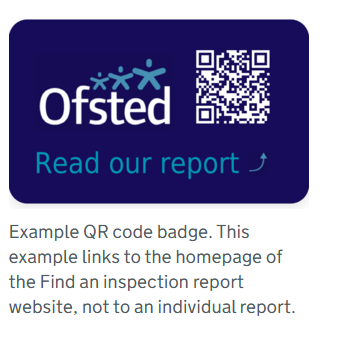
Ofsted QR Code for Reports

Ofsted QR Code for Reports

In a move to modernize school inspections and increase transparency, Ofsted has officially launched new QR code badges for all education providers across England. The initiative, announced this month by Sir Martyn Oliver, His Majesty’s Chief Inspector, aims to give...