
• Contact Us
  • 01609 536 086
Nyes Digital Logo

Home

IT Services

3

Sales

3

Web Design

3

School MIS

3

Training

3
Nyes Digital Logo
a

Training

  • 5
    MIS Training
  • 5
    Cyber Security Training
  • 5
    Microsoft Conversion

Need Training?

Services

  • 5
    Broadband Services
  • 5
    Cyber Security
  • 5
    Google Services
  • 5
    IT Helpdesk
  • 5
    IT Hardware Repair
  • 5
    Microsoft Services
  • 5
    Mobile Phones and VOIP
  • 5
    Onsite IT Technician
  • 5
    Sales and Installation
  • 5
    WEEE

Our Vast Range of Microsoft Services

Services

  • 5
    Broadband Services
  • 5
    Google Services
  • 5
    Microsoft Services
  • 5
    Sales and Installation
  • 5
    Mobile Phones and VOIP

IT

  • 5
    Helpdesk
  • 5
    Hardware Repair
  • 5
    Cyber Security
  • 5
    Onsite Technician
  • 5
    WEEE

Have a question?

MIS Services

  • 5
    Arbor
  • 5
    Bromcom
  • 5
    ESS Sims
  • 5
    Compass

MIS Training

  • 5
    Book Training 

MIS Framework

  • 5
    MIS Supplier Framework

Which MIS Systems do you support?

Services

  • 5
    Websites
  • 5
    Hosting & DNS
  • 5
    Domain Registration
  • 5
    SSL Certification

Information

  • 5
    Meet the team
  • 5
    Portfolio

What packages do you do?

Sales Categories

  • Sales Home
  • 5
    Accessories
  • 5
    Audio Visual
  • 5
    Computing
  • 5
    Networking
  • 5
    Printers
  • 5
    Software
  • 5
    iPads and Accessories

Need help deciding?

Guide for Team Owners

by Jack Bowyer | Apr 20, 2022

7

Guide for Team Owners

As a team owner, you can add new members and guests, change members into owners, manage channels and settings, and archive a team that's no longer in use.

In order to carry out these various tasks just click on the 3 dots ( … ) beside the team name and select the option that you require from the pop out menu.
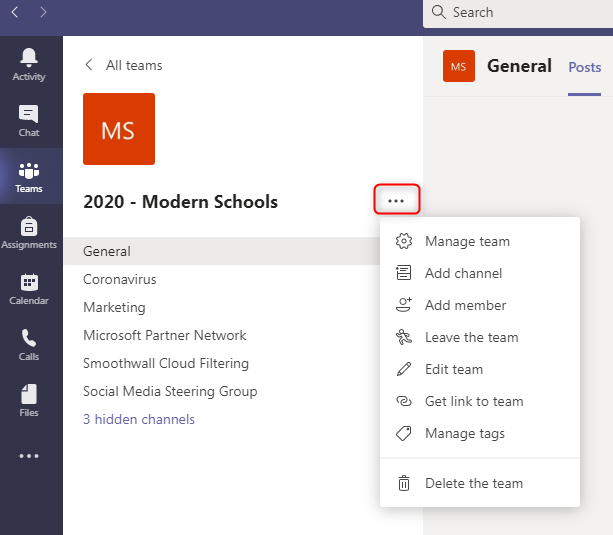
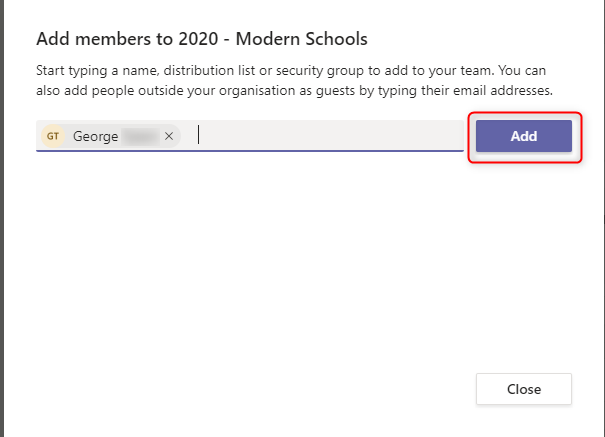
For example to Add members to your team, just click on Add member, then type the name or e-mail of the person that you want to add, select the name when it is found and then click Add.

Note: If the person is outside of your organization, type in their email address. Select the pencil icon to add a display name everyone will recognize. The guest will receive an email inviting them to join the team.
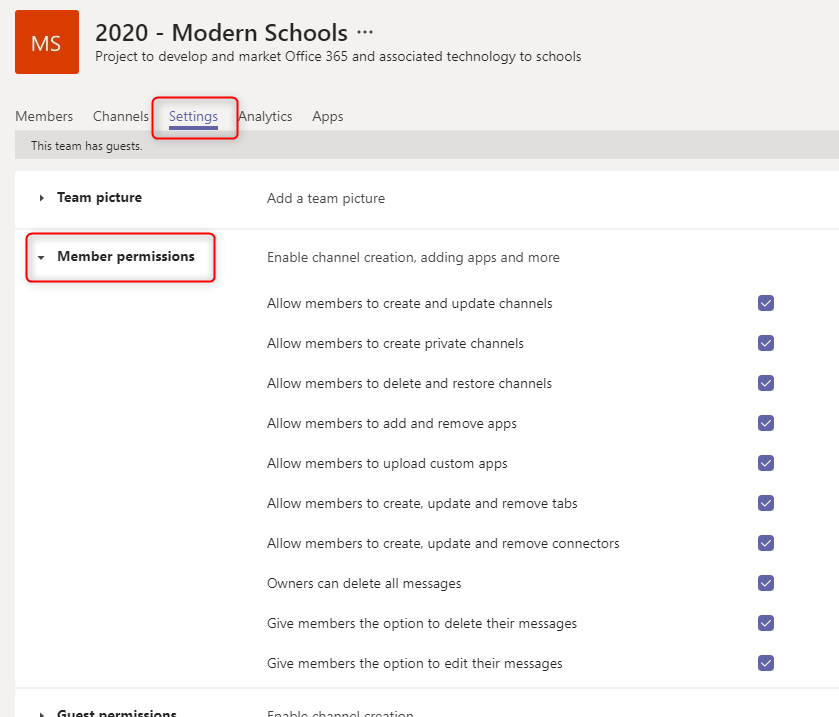
If you want to manage the team further, then just click on the 3 dots ( … ) and select Manage Team. For example if you want to set member permissions (like allowing them to create, update, or delete channels and tabs), then you can do this by clicking on Settings and expanding Member Permissions
To discover more about managing a Team as an Owner please watch the video below, and also refer to Microsoft's Go-to guide for team owners
You might also be interested in

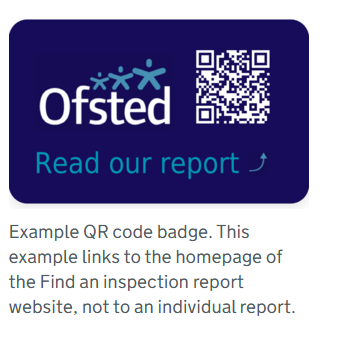
Ofsted QR Code for Reports

Ofsted QR Code for Reports

In a move to modernize school inspections and increase transparency, Ofsted has officially launched new QR code badges for all education providers across England. The initiative, announced this month by Sir Martyn Oliver, His Majesty’s Chief Inspector, aims to give...