





• Contact Us
  • 01609 536 086
Nyes Digital Logo

Home

IT Services

3

Sales

3

Web Design

3

School MIS

3

Training

3
Nyes Digital Logo
a

Services

  • 5
    Broadband Services
  • 5
    Cyber Security
  • 5
    Google Services
  • 5
    IT Helpdesk
  • 5
    IT Hardware Repair
  • 5
    Microsoft Services
  • 5
    Mobile Phones and VOIP
  • 5
    Onsite IT Technician
  • 5
    Sales and Installation
  • 5
    WEEE
  • 5
    Vape Detectors

Our Vast Range of Microsoft Services

MIS Services

  • 5
    MIS Overview
  • 5
    MIS Supplier Framework

MIS Systems

  • 5
    Arbor
  • 5
    Bromcom
  • 5
    ESS Sims
  • 5
    Compass

MIS Training

  • 5
    Book Training 

Which MIS Systems do you support?

Website Services

  • 5
    Website Design
  • 5
    Hosting & DNS
  • 5
    Domain Registration
  • 5
    SSL Certification
  • 5
    Brand Design
  • 5
    Meet the Team
  • 5
    Portfolio

What packages do you do?

Training

  • 5
    MIS Training
  • 5
    Cyber Security Training
  • 5
    Microsoft Training

Need Training?

Sales Categories

  • 5
    Sales Home
  • 5
    Accessories
  • 5
    Audio Visual
  • 5
    Computing
  • 5
    Networking
  • 5
    Printers
  • 5
    Software
  • 5
    iPads and Accessories

Need help deciding?

Logging into Office 365 for the First Time (SSPR)

by Jack Bowyer | Apr 19, 2022

7

Logging into Office 365 for the First Time (SSPR)

This article shows you the process of logging into Office 365 for the first time, along with setting up an alternative method of contact in case you need to reset your password - Self Service Password Reset (SSPR)

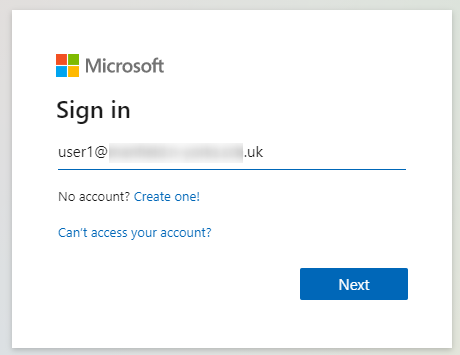
Using a web browser, (e.g. Microsoft Edge, Google Chrome, Firefox, Opera) go to https://portal.office.com.

If you only want to login to e-mail you can go to mail.office365.com 

Enter your username

Click Next
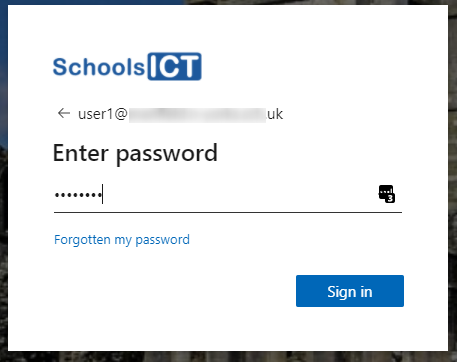
Enter your initial password

Click Sign In
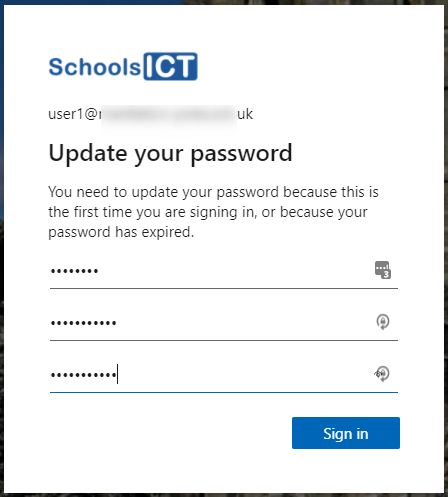
You will be asked to change your password.

Enter your initial password that you just used.

Then enter a new password that you want to change to.

Your new password must be longer than 7 characters in length, and a mixture of numbers and upper and lower case letters to create a strong password. For more information about choosing a good password please see Password policy recommendations for Office 365

Confirm your new password by typing it again

Click Sign in
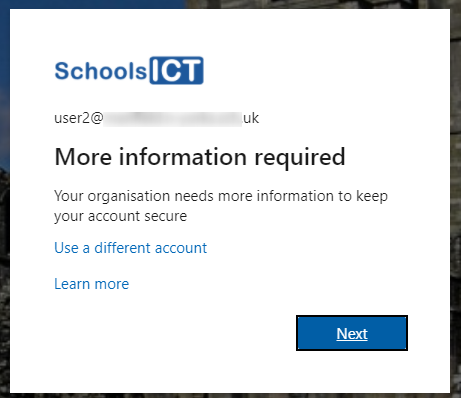
If your organisation has configured self-service password reset for your Office 365 you will now be asked to set this up

Click Next
Select which method you want to use if you need to reset your password.

Click Set it up now
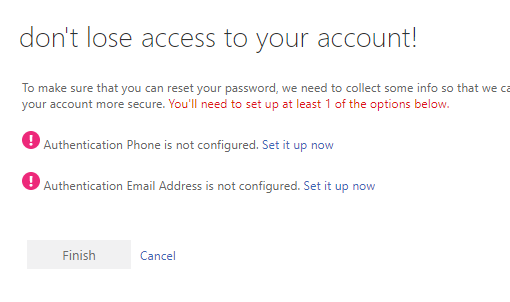
Enter the appropriate information. In this example we are setting up an alternative e-mail address that can be used if we need to reset our password.

Click e-mail me
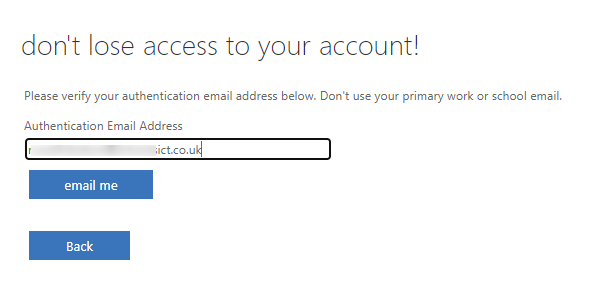
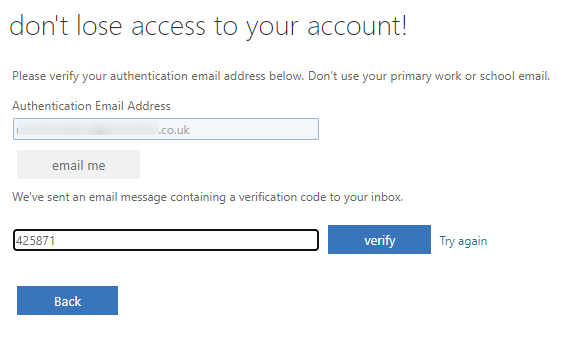
Enter the code that is sent to the e-mail address you entered

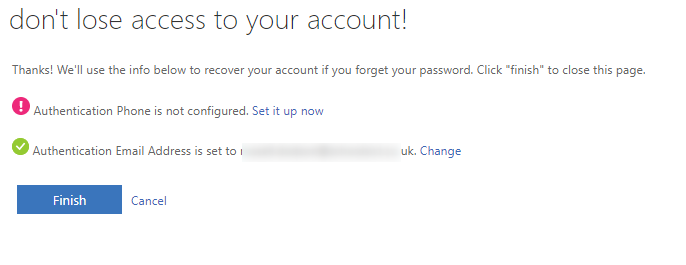
Click Verify
Click Finish
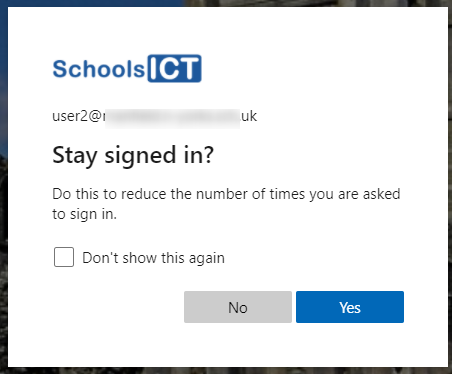
Select if you want to stay signed in or not. You can say Yes if this is a computer you don't share with anyone. Else click No
You might also be interested in

Ofsted QR Code for Reports

Ofsted QR Code for Reports

In a move to modernize school inspections and increase transparency, Ofsted has officially launched new QR code badges for all education providers across England. The initiative, announced this month by Sir Martyn Oliver, His Majesty’s Chief Inspector, aims to give...

30th January 2026 Suspicious Email Warning

Suspicious Email Warning North Yorkshire Council’s Cyber Security Team have reported to us that numerous members of NYC staff have received an email which appears to be from Embsay School wishing to share admin details via email. We can confirm that this is a spam...

🎉 Cyber Switch Up 2025 Is Here! 🎉

The Yorkshire & Humber Regional Cyber Crime Unit in conjunction with our Partners are once again running the hugely successful Cyber Switch up competition in 2025, and you are warmly invited to get involved! This year’s competition is being sponsored by Amazon Web...