
• Contact Us
  • 01609 536 086
Nyes Digital Logo

Home

IT Services

3

Sales

3

Web Design

3

School MIS

3

Training

3
Nyes Digital Logo
a

Training

  • 5
    MIS Training
  • 5
    Cyber Security Training
  • 5
    Microsoft Conversion

Need Training?

Services

  • 5
    Broadband Services
  • 5
    Cyber Security
  • 5
    Google Services
  • 5
    IT Helpdesk
  • 5
    IT Hardware Repair
  • 5
    Microsoft Services
  • 5
    Mobile Phones and VOIP
  • 5
    Onsite IT Technician
  • 5
    Sales and Installation
  • 5
    WEEE

Our Vast Range of Microsoft Services

Services

  • 5
    Broadband Services
  • 5
    Google Services
  • 5
    Microsoft Services
  • 5
    Sales and Installation
  • 5
    Mobile Phones and VOIP

IT

  • 5
    Helpdesk
  • 5
    Hardware Repair
  • 5
    Cyber Security
  • 5
    Onsite Technician
  • 5
    WEEE

Have a question?

MIS Services

  • 5
    Arbor
  • 5
    Bromcom
  • 5
    ESS Sims
  • 5
    Compass

MIS Training

  • 5
    Book Training 

MIS Framework

  • 5
    MIS Supplier Framework

Which MIS Systems do you support?

Services

  • 5
    Websites
  • 5
    Hosting & DNS
  • 5
    Domain Registration
  • 5
    SSL Certification

Information

  • 5
    Meet the team
  • 5
    Portfolio

What packages do you do?

Sales Categories

  • Sales Home
  • 5
    Accessories
  • 5
    Audio Visual
  • 5
    Computing
  • 5
    Networking
  • 5
    Printers
  • 5
    Software
  • 5
    iPads and Accessories

Need help deciding?

Meetings

by Jack Bowyer | Apr 20, 2022

7

Meetings

Joining a meeting

Starting a Meeting

In the dialog box, press the meet now button
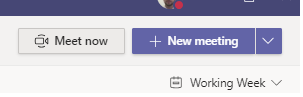
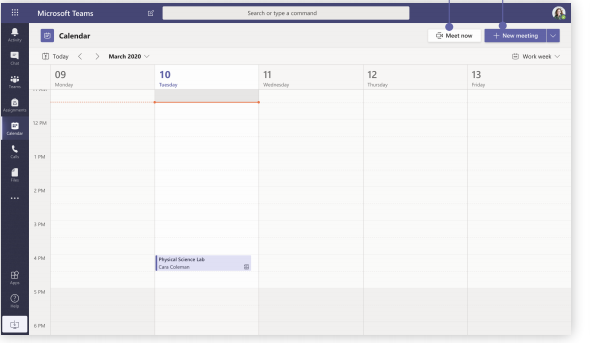
Schedule a meeting with your team or class

Meet now -  Add participants directly to a meeting that starts right away.

New meeting - Schedule a new meeting for live discussion with up to 250 people or schedule a live event for a broadcasted event with a wider audience.
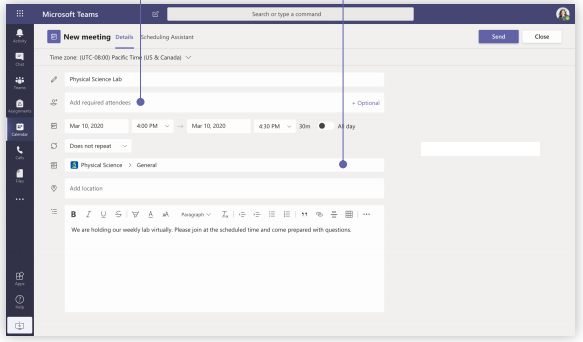
Invite individuals to a meeting - Invite one or more individuals to your meeting. Meeting recordings and resources shared during the meeting will be organized within the meeting history item in you Chat view.

Invite a channel to a meeting - Invite your whole class or working group to a meeting by selecting a channel to host the meeting. Meeting recordings and resources shared during meetings will be organized within the selected channel.
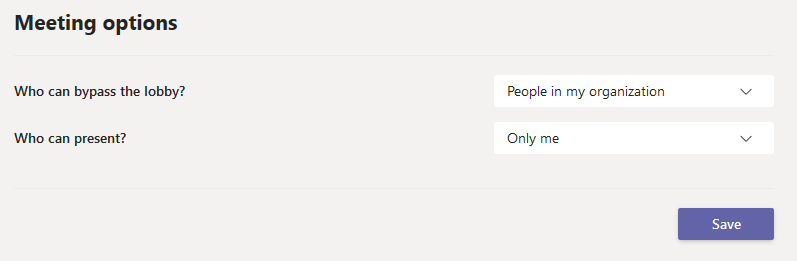
Meeting Options

Once the meeting is scheduled you can go back into the meeting settings to control who can present (ie only the teacher and whether everyone can immediately join the chat or whether they are let in one by one and are held in a lobby first.
You might also be interested in

Ofsted QR Code for Reports

Ofsted QR Code for Reports

In a move to modernize school inspections and increase transparency, Ofsted has officially launched new QR code badges for all education providers across England. The initiative, announced this month by Sir Martyn Oliver, His Majesty’s Chief Inspector, aims to give...